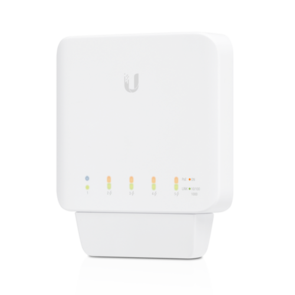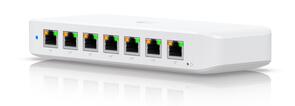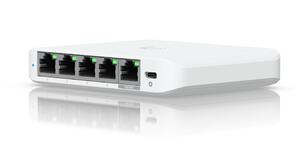
 DrayTek PQ2300XB 30-Port Layer 2+ Managed PoE++ Gigabit Switch (6x 10GbE SFP+ slots, 24x 2.5GbE MultiGig PoE+ ports)
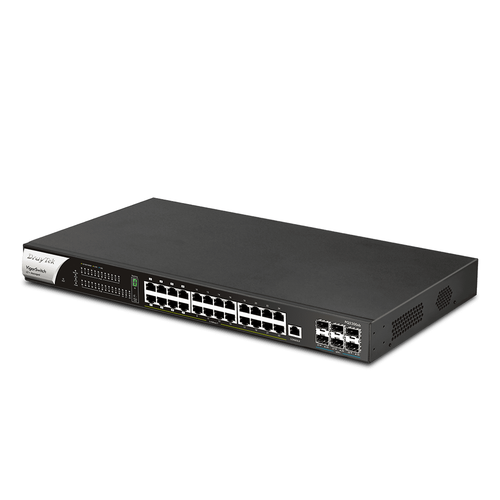
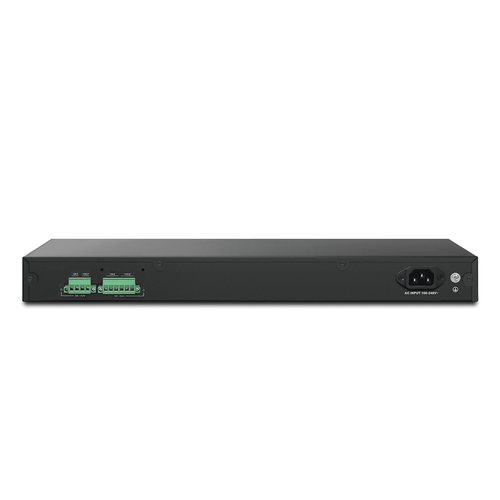
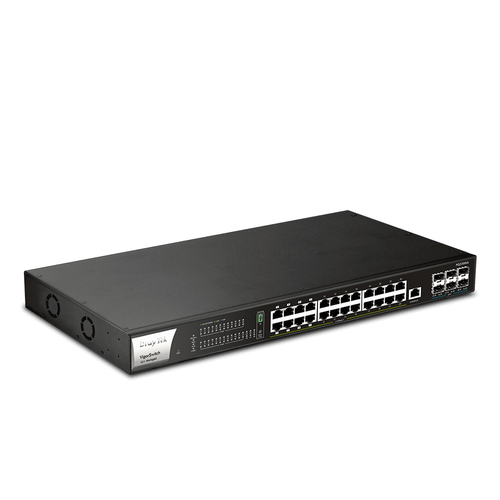
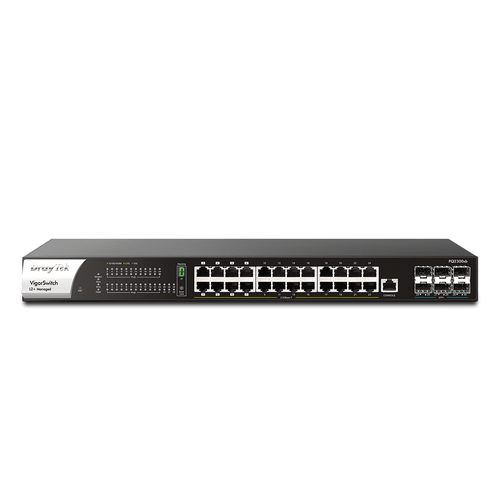
The VigorSwitch PQ2300xb is a Layer 2+ Managed Power over Ethernet switch with 6 x 10GbE SFP+ slots for connection of optic fibre modules or DAC cables. In addition, it has 8 x 2.5GbE ports with PoE++ PSE, 16 x 2.5GbE ports with PoE+ PSE and 1 x Console port.
With a total power budget of 400 Watts, the eight 802.3bt PoE++ ports provide up to 90 watts per port making it suitable to power devices such as point-of-sale equipment, LED lighting, digital signage and high-power wireless Access Points.
Each of the remaining 2.5 Gigabit Ethernet ports of VigorSwitch PQ2300xb supports the 802.3at and 802.3af PoE standards providing up to 30 Watts of power per port. This is useful in networks where power is required for devices such as wireless Access Points, IP phones, and IP cameras, removing the need for power cables and adapters.
PoE++ (802.3bt)
Deliver up to 90W over one Ethernet cable. Turn on/off the PoE device periodically with PoE Schedule.
QoS (Quality of Service)
Improve the performance of critical traffic by prioritising it with CoS, DSCP, and IP Precedence tag.
Ping Device Check
Enable Ping check to selected devices to keep monitoring on their status. If ping timeout, power cycle (if PoE enabled) the port and/or send out mail alert.
ONVIF-Friendly
Recognise ONVIF devices, display surveillance topology, provide UI for video streaming and device maintenance.
2.5GbE
Provides higher performance to WiFi 6 AP and other Ethernet devices.
IPv6 Ready
VigorSwitch PQ2300xb supports IPv6 by offering MLD Snooping, IPv6 ACL, and IPv6 DNS Resolver.
10G SFP+
Provides 10G-capable fiber SFP+ ports for aggregation or uplinking to the core switches.
Web-Based GUI
Easily manage and monitor the network through the web-based console with graphics showing ports and hardware status.
Wire-Speed VLAN Routing
Improve overall network performance by using VigorSwitch PQ2300xb to route the inter-VLAN traffic directly and offload the router.
Multiple Admin Accounts
Multiple Admin accounts with two levels of administrator privilege.
Auto Surveillance & Voice VLAN
Recognise traffic from IP cameras and IP phones automatically and add CoS tag for QoS prioritisation.
Central Switch Management
Set up VLANs easily from the router and get a centralised hierarchy view of the switches.
IP Conflict Prevention
Improve network stability by avoiding IP conflicts caused by a misconfigured or malicious host.
LLDP-MED
Automatically detects VoIP devices, simplifies VLAN assignment, and prioritizes voice traffic for smoother VoIP deployment.
Flexible VLAN Options
The VigorSwitch PQ2300xb supports both port-based and tagged-based VLANS, which can be used to add security to your network and create workgroups within an organisation. This allows the network administrator to control LAN access and also reduce unnecessary network traffic.
The VigorSwitch PQ2300xb supports up to 512 VLANS. In addition to 802.1q Tag-based VLANS, Auto Voice and Auto Surveillance VLANS are supported, so that traffic from an IP phone or an IP camera can be automatically identified without specifying each device’s MAC address. The appropriate QoS (Quality of Service) policy can be applied easily to ensure the best call and video quality.
Supported VLAN types include:
- MAC-based VLAN
- Protocol-based VLAN
- Management VLAN
- Voice VLAN
- Surveillance VLAN
- GVRP
- QinQ
Network Security
The VigorSwitch PQ2300xb features several security measures to prevent the local network from being overloaded by unnecessary traffic. This includes Storm Control to limit the amount of broadcast and multicast traffic on each port, and DoS Defense to protect the network from being flooded by malicious traffic. In addition, the VigorSwitch PQ2300xb also includes IP Source Guard, Dynamic ARP inspection, and DHCP Snooping.
Security can be enhanced by using 802.1x port access control to block unauthorised users from connecting to the network. Access control is also available through IPv4, IPv6 and MAC addresses filtering.
Improving Performance by QoS
Heavy LAN traffic can affect critical or time-sensitive applications such as VoIP or video streaming. The QoS feature of the VigorSwitch PQ2300xb can prioritise critical or time-sensitive data so that it will not be affected by other traffic.
The VigorSwitch PQ2300xb supports up to 8 traffic queues using Strict Priority Queuing or Weighted Round Robin to prioritise data for the selected Class of Service.
The Auto Voice VLAN and Auto Surveillance VLAN feature in the VigorSwitch PQ2300xb is ideal for networks deploying IP cameras and IP phones.
Speed up the network by Link Aggregation
The VigorSwitch PQ2300xb supports link aggregation using both static configuration and LACP (Link Aggregation Control Protocol). With Link Aggregation, up to 8 LAN ports can be grouped to provide high throughput to cascaded switches. Up to 8 Link Aggregation Groups can be configured with each group having up to 8 port members.
Central Management
The VigorSwitch PQ2300xb can be run in standalone mode and can also be managed using the Central Switch Management feature of a connected Vigor Router. Functions that can be performed using Central Switch Management include provisioning, configuration, monitoring, and maintenance of the VigorSwitch.
Stacking — Build a Resilient & Scalable Network
Since firmware v2.10.2, up to four VigorSwitch PQ2300xb units can stack as one logical switch*, delivering centralised management, unified configuration, and seamless failover for maximum uptime and scalability.
Centralised Management
Control all stacked switches through a single IP address for simplified administration.
Scalability & Expansion
Stack up to four units, delivering up to 96 Ethernet ports and 16× 10G SFP+ uplinks.
Configuration & Firmware Sync
Automatic synchronisation of VLAN, QoS, and firmware ensures consistent deployment across the stack.
Resilience & Failover
In the event of a master switch failure, operations continue uninterrupted.
Integrated Security
DHCP Snooping, ARP Inspection, and Port Security are enforced across the entire stack.
Layer 2 Feature Integration
Supports STP, LAG, and GVRP for redundancy, load balancing, and VLAN automation.
Unified Monitoring & Diagnostics
Gain real-time visibility into network traffic with support for SNMP, Syslog, and Port Mirroring, enabling efficient remote monitoring and streamlined troubleshooting.
Stacking is supported only between VigorSwitch models with identical port configurations (e.g., PQ2300xb with Q2300x) and is not available across different series.
ONVIF-Friendly
Recognise ONVIF devices in different VLANs, display surveillance topology, provide UI for video streaming and device maintenance
Centralised Hierarchical View
VigorSwitch automatically detects ONVIF devices, and displays the topology of connecting IP cameras and NVRs.
Image Viewing
Images captured by IP cameras can be viewed directly through the VigorSwitch web UI.
Device Management
Basic configuration and maintenance tasks for ONVIF devices, such as remote reboot, factory reset, and network setting adjustments, can be performed directly from the VigorSwitch web UI.
ONVIF Snapshot Alert
Locating Non-Responding IP Cameras Made Easy
Managing IP cameras across multiple sites can be difficult, particularly when devices fail without clear visibility or recovery options. The VigorSwitch addresses this by regularly pinging ONVIF IP cameras and capturing scheduled snapshots. If a camera becomes unresponsive, the switch automatically issues an email alert with the latest snapshot, enabling rapid diagnosis and resolution.
On PoE models, the VigorSwitch can also automatically power cycle the affected port to reboot the camera, providing immediate recovery.
IP Conflict Detection & Prevention
Conflict Detection
The VigorSwitch continuously monitors the network environment and alerts the administrator of any IP address conflicts
Conflict Prevention
To enhance network stability, the VigorSwitch identifies misconfigured or malicious IP hosts and blocks them before any damage occurs.
Device Check
Ping Check for LAN Devices
A VigorSwitch can continuously ping the LAN devices, and when the device stops responding to the ping, it will instigate a PoE cycle to the associated port (PoE model only) and/or send an email alert to the administrator.
LAN Management
An all-in-one management platform for Vigor devices on the LAN side.
Automatic Device Discovery
Connect the VigorSwitch to the router’s LAN interface. The Vigor Router will automatically detect and list all devices available for management
Provisioning
Switch profiles can be configured on the Vigor Router. VLAN settings and scheduled port controls are then provisioned remotely to the VigorSwitch for centralised management.
Monitoring
The VigorRouter offers a hierarchical, centralised view for device management. Administrators can easily verify whether a managed VigorSwitch is online and review system logs and alerts as they occur.
System Maintenance
Perform essential tasks such as factory reset, configuration backup/restore, and remote reboot directly from the VigorRouter, without needing to access each device’s individual management page.